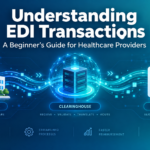
Electronic data interchange, or EDI, is the structured electronic exchange of administrative and financial information between healthcare providers, health plans, and clearinghouses. Practices use EDI to submit claims, verify coverage, check claim status, request prior authorization, and receive electronic remittance advice.
EDI transactions healthcare workflows can initially seem complicated because exchanges are identified by numbers. An “837” is an electronic claim, while an “835” explains how claims were paid or adjusted. This healthcare EDI guide connects the essential transactions to familiar tasks, explains the clearinghouse’s role, and identifies preventable submission errors.
What Is Healthcare EDI?
EDI is a method for exchanging information electronically in a standardized format. Instead of every payer creating an entirely different format for claims, eligibility requests, and payment information, healthcare organizations use defined transaction sets.
Under HIPAA Administrative Simplification, covered entities must use adopted standards when conducting covered administrative and financial transactions electronically. Covered entities include health plans, healthcare clearinghouses, and healthcare providers that conduct these transactions electronically.
Most of the transactions discussed in this guide use ASC X12 Version 5010 standards. Each transaction set serves a particular business purpose:
- A claim is submitted through an 837.
- Eligibility is requested through a 270 and returned through a 271.
- Claim status is requested through a 276 and returned through a 277.
- Prior authorization is handled through a 278.
- Payment and remittance information is returned through an 835.
- A 999 reports whether a transmission met applicable syntax and implementation requirements.
The standard creates a common structure, but individual payers may also publish companion guides. A companion guide supplements the national implementation guide with payer-specific connectivity, registration, and data instructions. It does not replace the national standard or change the standard definition of its data elements.
Why EDI Matters to a Healthcare Practice
EDI connects administrative steps before and after a patient encounter. It can help staff check coverage, submit standardized claims, receive structured error feedback, track claims, process payment information, and reduce repetitive entry when systems are integrated.
Standardization does not eliminate every challenge. Payers have different business requirements, electronic responses may still require follow-up, and vendors support different transaction combinations. EDI is a structured communication system, not a guarantee of complete automation.
Common Healthcare EDI Transaction Sets
Understanding the purpose of each transaction is more important than memorizing technical segments. The following transaction sets cover the workflows most clinical and billing teams encounter.
| Transaction | Primary purpose | Typical direction |
|---|---|---|
| 837 | Submit a healthcare claim | Provider to payer |
| 835 | Communicate payment and remittance details | Payer to provider |
| 270/271 | Request and return eligibility information | Provider to payer and back |
| 276/277 | Request and return claim status | Provider to payer and back |
| 278 | Exchange prior authorization or referral information | Provider and payer |
| 999 | Report syntax and implementation status | Receiver to submitter |
837: Electronic Claim Submission
The 837 submits healthcare claims in three common forms:
- 837P for professional claims
- 837I for institutional claims
- 837D for dental claims
Physician offices and nurse practitioner practices generally use the 837P. Their billing system creates the transaction and sends it to a clearinghouse or payer. Submission does not make a claim payable: it must pass structural and data checks before payer adjudication.
835: Electronic Remittance Advice
The 835 communicates adjudication results, including payments and adjustments. Unlike an acknowledgment, it does not merely confirm structural validity or receipt.
Compatible software can use 835 data for electronic payment posting and reconciliation. A payer may require enrollment before sending electronic remittance advice.
270/271: Eligibility Inquiry and Response
The 270 requests eligibility or benefit information, and the 271 returns the payer’s response. Practices can use this pair during registration or before service.
Accurate patient and subscriber details are essential because mismatched names, birth dates, member identifiers, or payer selections can prevent successful matching. The 271 reflects information available under the payer’s business rules and may not answer every coverage question.
276/277: Claim Status Inquiry and Response
The 276 requests the status of a submitted claim, and the 277 returns status information. This pair helps staff follow claims already in the payer’s system.
It differs from the 277CA acknowledgment, which reports whether an individual claim was accepted or rejected during front-end processing.
278: Prior Authorization and Referrals
The 278 supports electronic prior authorization and referral requests and responses. Workflows vary, so confirm that the payer, clearinghouse, and practice system support the exchange and the payer’s required information.
999: Implementation Acknowledgment
The 999 reports whether a transaction set was accepted, accepted with errors, or rejected after syntax and implementation-guide review.
Acceptance does not mean a claim was approved, adjudicated, or scheduled for payment. Claim-level acceptance or rejection is commonly reported through a 277CA, so a batch can pass 999 review while individual claims fail later front-end edits.
How a Healthcare Clearinghouse Fits Into the Workflow
A clearinghouse acts as an intermediary between a provider’s billing system and health plans. It may translate nonstandard transactions into standard transactions, validate files, apply edits, route exchanges, and return acknowledgments.
A typical claims workflow looks like this:
- The practice records the visit. Staff enter patient, provider, service, diagnosis, and payer information.
- The billing system creates an 837. It converts claim data into the standard format.
- The clearinghouse checks the claim. Structural and payer edits may identify missing or invalid information.
- The practice corrects errors. Staff update the source data and resubmit when necessary.
- Accepted claims go to the payer. The clearinghouse uses the appropriate payer connection.
- Acknowledgments return. A 999 addresses syntax, while a 277CA reports claim-level acceptance or rejection.
- The payer adjudicates the claim. It may return an 835 with payment and adjustment details.
The clearinghouse does not determine coverage or payment. It facilitates, validates, translates when needed, routes, and reports on the exchange.
Rejections Are Not the Same as Denials
This distinction is essential for billing teams.
A rejection generally occurs before adjudication because of formatting, missing data, invalid identifiers, or another front-end issue. The usual response is correction and resubmission.
A denial occurs after adjudication and reflects a coverage, payment, or other payer decision communicated through remittance information such as the 835. It may require review or appeal rather than resubmission.
Appealing a rejected claim wastes time because it has not completed adjudication. Repeatedly resubmitting a denial without reviewing the decision may also fail to resolve it.
Common EDI Mistakes and How to Prevent Them
Incorrect Patient or Subscriber Information
Mismatched names, birth dates, addresses, or subscriber identifiers can disrupt eligibility and claims processing.
Prevention: Verify data during registration, use 270/271 when available, and correct the practice system rather than only one claim.
Invalid or Missing Provider Information
Claims may fail when provider details are missing, invalid, or inconsistent with payer records.
Prevention: Maintain centralized provider information, confirm enrollment, and update billing profiles after practice changes.
Wrong Payer Selection
An incorrect payer or identifier can cause routing or member-matching problems.
Prevention: Keep payer lists current and train staff to select the correct plan instead of relying on similar names.
Coding and Formatting Errors
Invalid codes, missing values, or incorrect formatting can reject a file or claim.
Prevention: Maintain system configurations, review clearinghouse edits, and fix recurring issues at the template or workflow level.
Treating a 999 as Proof of Claim Acceptance
A successful 999 confirms structural acceptance, not adjudication.
Prevention: Monitor claim-level acknowledgments, including the 277CA, and verify that each claim entered payer processing.
Ignoring Companion-Guide Requirements
A standards-compliant transaction can still fail a payer-specific edit.
Prevention: Confirm that the vendor or clearinghouse supports current payer requirements. Investigate repeated errors using that payer’s instructions.
How to Get Started With EDI
1. Map Your Essential Transactions
Identify immediate needs, such as eligibility, professional claims, acknowledgments, status inquiries, and remittance advice.
2. Confirm Software Capabilities
Verify that your EHR, practice management system, or billing platform supports applicable 837P, 270/271, 276/277, 835, 278, 999, and 277CA workflows.
3. Choose Your Connection Method
Decide whether to connect directly with payers or use a clearinghouse. Compare transaction support, payer connections, error reporting, enrollment assistance, and acknowledgment visibility.
4. Complete Required Enrollment
Some payers require EDI, electronic remittance, or trading-partner enrollment. Medicare Fee-for-Service also uses an EDI agreement process. Follow payer or contractor instructions and allow time for required testing.
For independent nurse practitioners, EDI enrollment may accompany credentialing, operational, and collaboration tasks. NP Collaborator may be relevant when arranging collaboration separately from billing and EDI setup.
5. Test Before Relying on Production Transactions
When testing is available or required, submit files and confirm that the system can receive and interpret acknowledgments. Staff should know where to find rejections and who corrects them.
6. Create a Daily Monitoring Routine
Assign responsibility for clearinghouse reports, 999 acknowledgments, 277CA results, and unresolved claims. Keep separate queues for rejections and adjudicated denials.
7. Track Recurring Errors
Fix repeated issues in the underlying registration field, provider profile, payer mapping, or system configuration instead of repairing each claim individually.
Conclusion
Healthcare EDI becomes easier when each number connects to a task: the 837 submits claims, the 835 reports adjudication, the 270/271 checks eligibility, the 276/277 checks status, the 278 supports prior authorization, and the 999 reports structural results.
By verifying data, monitoring acknowledgments, and separating rejections from denials, practices can create a more manageable billing workflow.
To explore clearinghouse and medical billing support, visit directcareclearinghouse.org.